Click on the computer, the phone, or the cup of coffee to go to a new page and read more about the topic:

The idea behind an image map is that you should be able to perform different actions depending on where in the image you click. To create an image map you need an image, and some HTML code that describes the clickable areas.
Then, add the clickable areas. A clickable area is defined using an element.
♦ rect - defines a rectangular region ♦ circle - defines a circular region ♦ poly - defines a polygonal region ♦ default - defines the entire region
Click on the croissant to go to a new page and read more about the topic:

We have to find the x and y coordinates for all edges of the croissant:
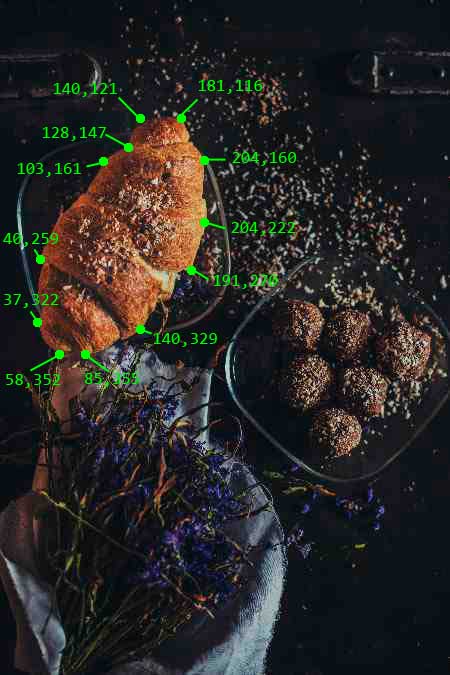
This is the area that becomes clickable and will send the user to the page "croissant.html":